

How to Redesign Your Website Without Losing SEO

Key Takeaways+
- A redesign affects SEO when URLs, content, headings, internal links or page speed change.
- A design-only refresh with the same URLs and copy is low risk. URL changes and content cuts are high risk.
- Google advises changing one thing at a time. Don't change your domain or platform during a redesign if you can avoid it.
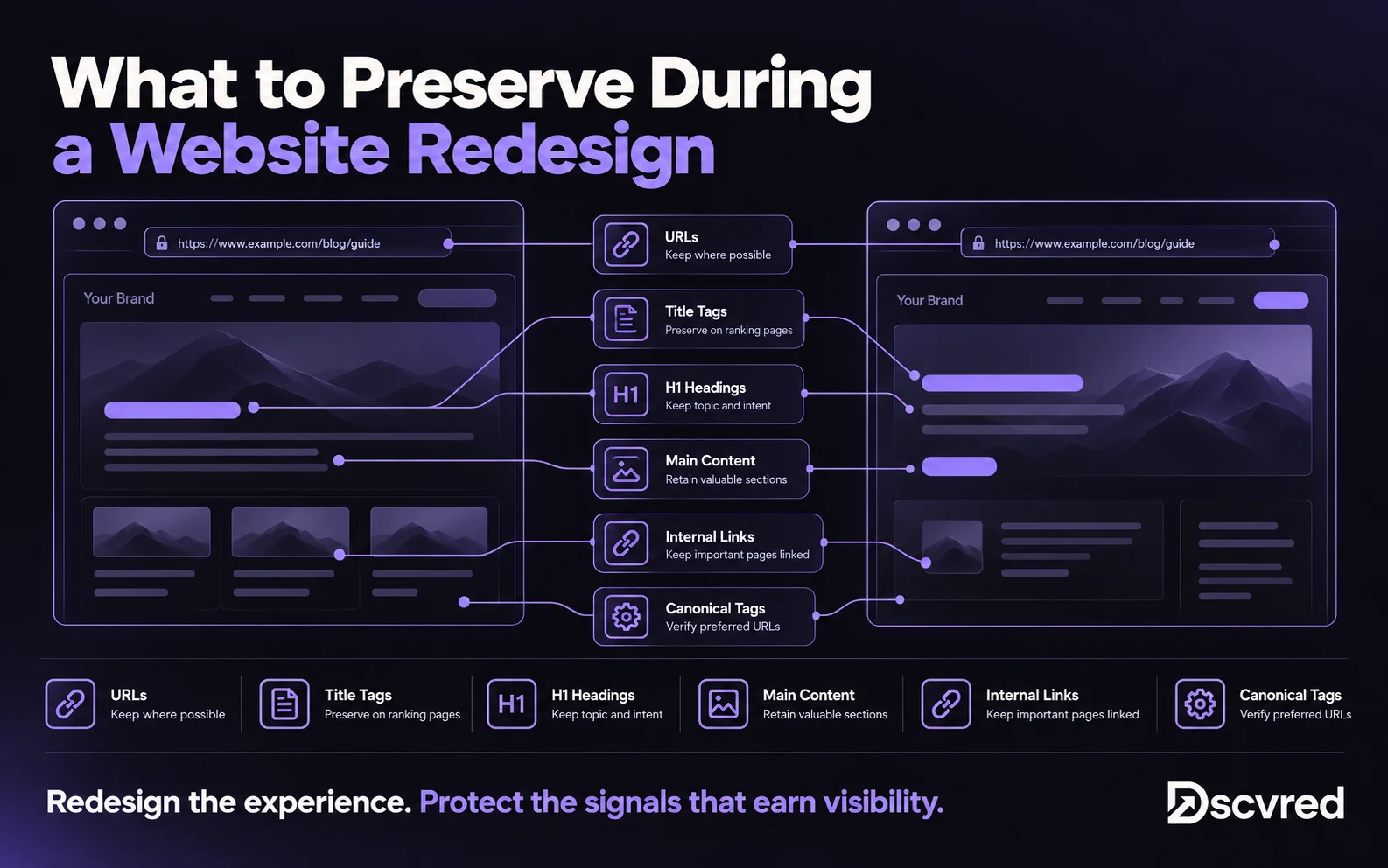
- Protect your top pages: keep their URL, title, H1 and main copy, and redesign around them.
- Compare old and new pages on staging before launch. This content parity check catches most ranking losses.
- Expect rankings to move for a few weeks while Google recrawls. Monitor for 90 days.
A website redesign hurts SEO only when it changes what Google already knows about your pages: their URLs, content, headings, internal links or speed. Keep those stable on the pages that rank, redirect any URL that changes, test the new site on staging and monitor Search Console for 90 days. Done this way, a redesign can hold its rankings and often lift them.
At Dscvred Studio, we design and build Webflow sites for fintech, finance, healthcare and B2B SaaS teams, and most projects start as a redesign. This website redesign SEO guide covers the mistakes we see most and the checks we run at each design phase.
Does a Website Redesign Affect SEO?
Yes, if the redesign changes how your pages are found or what they say. A new look on its own rarely moves rankings. Changes underneath the design do.
Google's site move guide says to change one thing at a time. Its example is moving domain first, then changing the layout. If a redesign also moves platform, keep URLs and copy the same at launch and save rewrites for a later stage.
8 Website Redesign Mistakes That Destroy SEO
Most redesign traffic losses trace back to a short list of mistakes. Each one has a simple fix.
1. Changing ranking URLs without redirects
A new URL starts with no history. If the old one doesn't redirect, its rankings and backlinks are lost.
Fix: Keep URLs where you can, and 301 redirect the rest to the closest matching page.
2. Cutting text from top pages
Designers often trim copy to make a page look cleaner. If that copy answered the query the page ranks for, rankings drop.
Fix: Keep the main content of every top page, and restyle it rather than remove it.
3. Rewriting titles and H1s on pages that rank
New brand messaging often replaces keyword-led titles and headings.
Fix: Carry over the title tag and H1 on top pages, then test new wording one page at a time after launch.
4. Using heading tags for styling
A heading tag picked for its size, such as an H2 used for a small label, breaks the page outline Google reads.
Fix: Set heading levels by structure and control size with CSS classes.
5. Dropping pages from the navigation
A slimmer menu can leave pages with no internal links. Orphan pages get crawled less and lose ranking signals.
Fix: Make sure every ranking page is linked from the menu, a hub page or related content.
6. Letting Google index the staging site
An open staging copy competes with your live site as duplicate content.
Fix: Password-protect staging or add a noindex rule, and remove it on launch day.
7. Slowing pages with heavy media and animation
Large videos, uncompressed images and stacked scripts hurt Core Web Vitals.
Fix: Compress images to WebP or AVIF, lazy-load media below the fold and test speed on staging.
8. Launching without a baseline
Without before data, you can't tell what dropped or why.
Fix: Export Search Console and GA4 data before design starts.
Website Redesign SEO Checklist, Phase by Phase
SEO works best when it's built into each design phase instead of checked the week before launch. Here's who does what, and when.
Before design: run a website redesign SEO audit
- Export 12 months of pages, queries and clicks from Google Search Console.
- Record conversions and top landing pages in GA4.
- Crawl the site with Screaming Frog to capture every URL, title, H1, meta description and canonical tag.
- List your top pages by clicks, backlinks and conversions.
Wireframes and design: protect your top pages
Bring SEO in at the wireframe stage, before layouts lock in what each page can hold. For each top page, keep the URL, title, H1 and main copy, and design the new layout around that content. Plan any URL changes now and add them to a redirect map.
Build: set up technical SEO
- Use one H1 per page and a logical H2 and H3 order.
- Add alt text to every meaningful image.
- Set titles, meta descriptions and Open Graph fields, including CMS-driven fields for templates.
- Add schema markup, such as Article, FAQ and Organization.
- Build the 301 redirects from your redirect map.
On Webflow, we watch for three things: heading tags chosen for size, important text hidden with display settings on some breakpoints, and the webflow.io staging domain left open to indexing. All three are easy to miss in the Designer.
Before launch: run the content parity check
Crawl the staging site and compare each top page with its old version.
Fix every "No" on a top page before launch. This one table catches most of the mistakes above.
Launch day
- Remove the staging noindex rule and password.
- Publish redirects, then test a sample of old URLs.
- Submit the new XML sitemap in Search Console.
- Check forms, GA4 events and tracking scripts.
After launch: monitor for 90 days
Google says rankings can fluctuate while it recrawls a changed site. Check the Search Console Pages report weekly for new 404s, compare top pages against your baseline at 30, 60 and 90 days, and fix any page that drops before changing anything else.
Can a Website Redesign Improve SEO?
Yes. A redesign is a good chance to fix what holds your site back, as long as you protect what already ranks.
- Faster pages: Lighter templates and compressed images improve Core Web Vitals.
- Clearer structure: Hub pages and tidy navigation help Google understand topics.
- Stronger internal links: Related content links spread authority to deeper pages.
- Content AI search can quote: Answer-first copy, real headings and FAQ sections are easier for AI Overviews and LLMs to cite.
- Easier publishing: A structured Webflow CMS lets your team add pages without a developer.
From our Webflow builds
When we rebuilt the PackageX site as a reusable component system, marketers went from waiting about 1 week per page to publishing the same day, with 28 pages live in the first 3 weeks. More pages, published faster, gives search engines more to rank.
Redesign or Migration: Which Checklist Do You Need?
Use this guide when the domain and platform stay the same. Use a migration checklist when either changes.
How Dscvred Studio Can Help With Your Website Redesign
Our website design team plans SEO into the redesign from discovery: the audit, top-page protection, redirects and the content parity check before launch. If you're planning a redesign, book an intro call and we'll map what to keep.
FAQ
Does a website redesign affect SEO?
Yes, when URLs, content, headings, internal links or speed change. A visual refresh that keeps those the same is low risk.
How long do rankings take to recover after a redesign?
Most sites settle within a few weeks once Google recrawls them. If a top page is still down after a month, compare it with the old version and restore what's missing.
Should I change URLs during a redesign?
Only if the old URLs are a real problem. Every changed URL needs a 301 redirect, and keeping URLs is always safer.
Can AI redesign my website without hurting SEO?
AI tools can draft layouts and copy, but they don't know which pages rank or why. Run the same audit, redirect map and parity check on any AI-assisted redesign.
How much does a website redesign cost?
It depends on page count, design and integrations, the same factors that set any Webflow website cost. A redesign often costs about the same as a new build of the same size.